Website Design & Development
A free, no-signup QR code generator for Malaysian small businesses, redesigned from a stock component look into its own brand.
- Role
- Design & development
- Year
- 2026
- Type
- Live product
- Languages
- English · Bahasa Melayu
- Stack
- Nuxt 3 · Vue 3 · Pinia · Tailwind CSS · qrcode · libphonenumber-js · Netlify · Claude Code
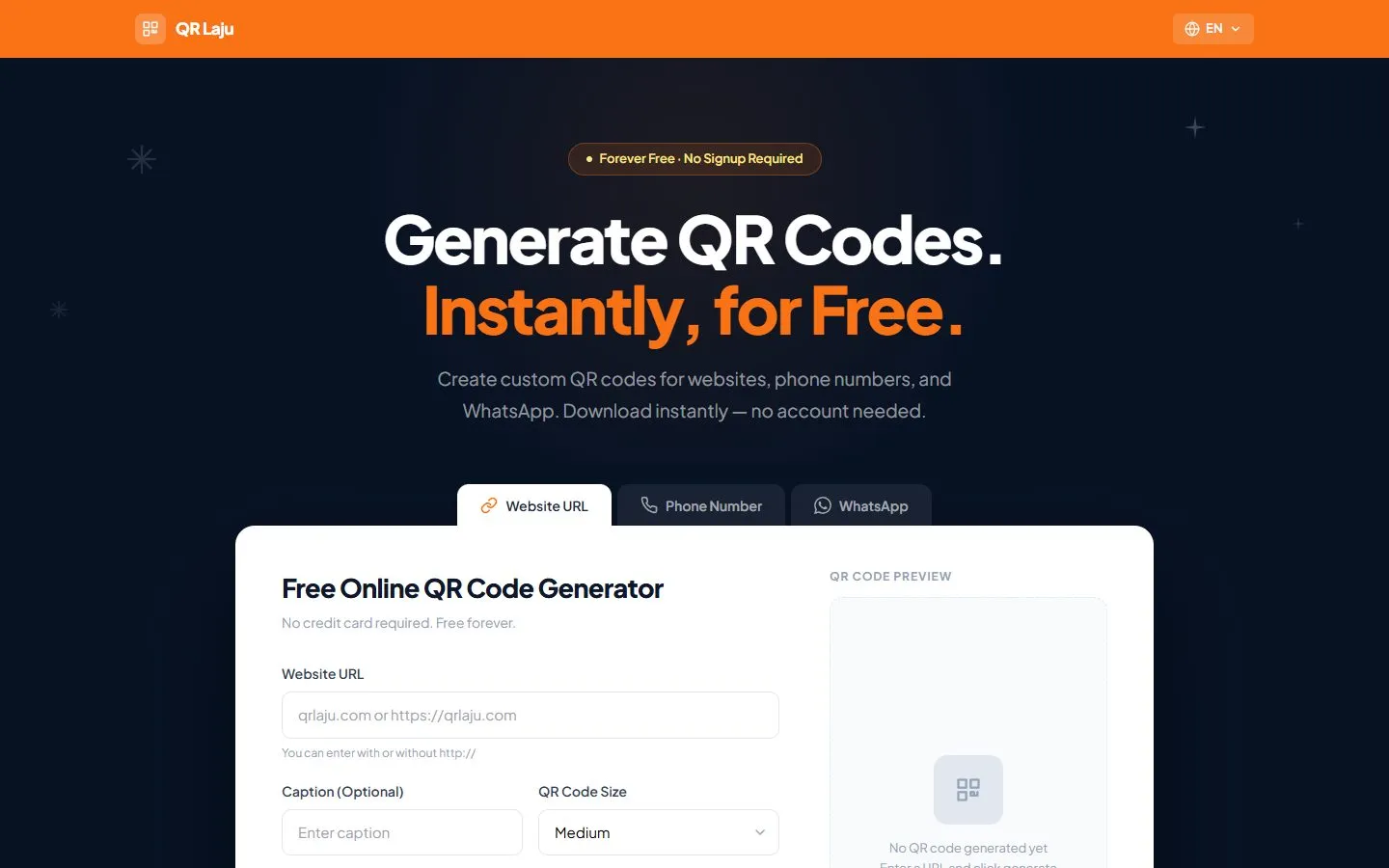
Most free QR generators ask you to sign up, hide the download behind a paywall, or quietly expire the code later. QR Laju does one job: type a link or a number, get a PNG, done. Nothing is stored.
A QR code in seconds, with no strings attached.
Small business owners here print QR codes on menus, banners and name cards. They mostly need three things: a link to their website, a phone number to call, or a WhatsApp chat to open. They don’t need an account, analytics or a subscription to do that.
So the rules were simple. The generator runs entirely in the browser, nothing is saved on a server, there is no signup, and the result is a plain PNG you can send straight to the printer. The whole interface is available in English and Bahasa Melayu.
- 3
- QR types: link, phone, WhatsApp
- 2
- languages, switchable anytime
- 0
- accounts needed
From a component library to a brand.
The first version was built quickly on Vuetify. It worked, but it looked like any admin panel: a purple gradient bar, stock Material inputs and three buttons of different colours competing for attention. Nothing about it said “fast” or “free”, which are the two reasons anyone would pick it.
For v2 I removed Vuetify completely and rebuilt the UI in Tailwind CSS with a custom theme. The page now opens on a dark navy hero with the promise in the headline, and the generator sits in a single white card right below it, with one orange button.
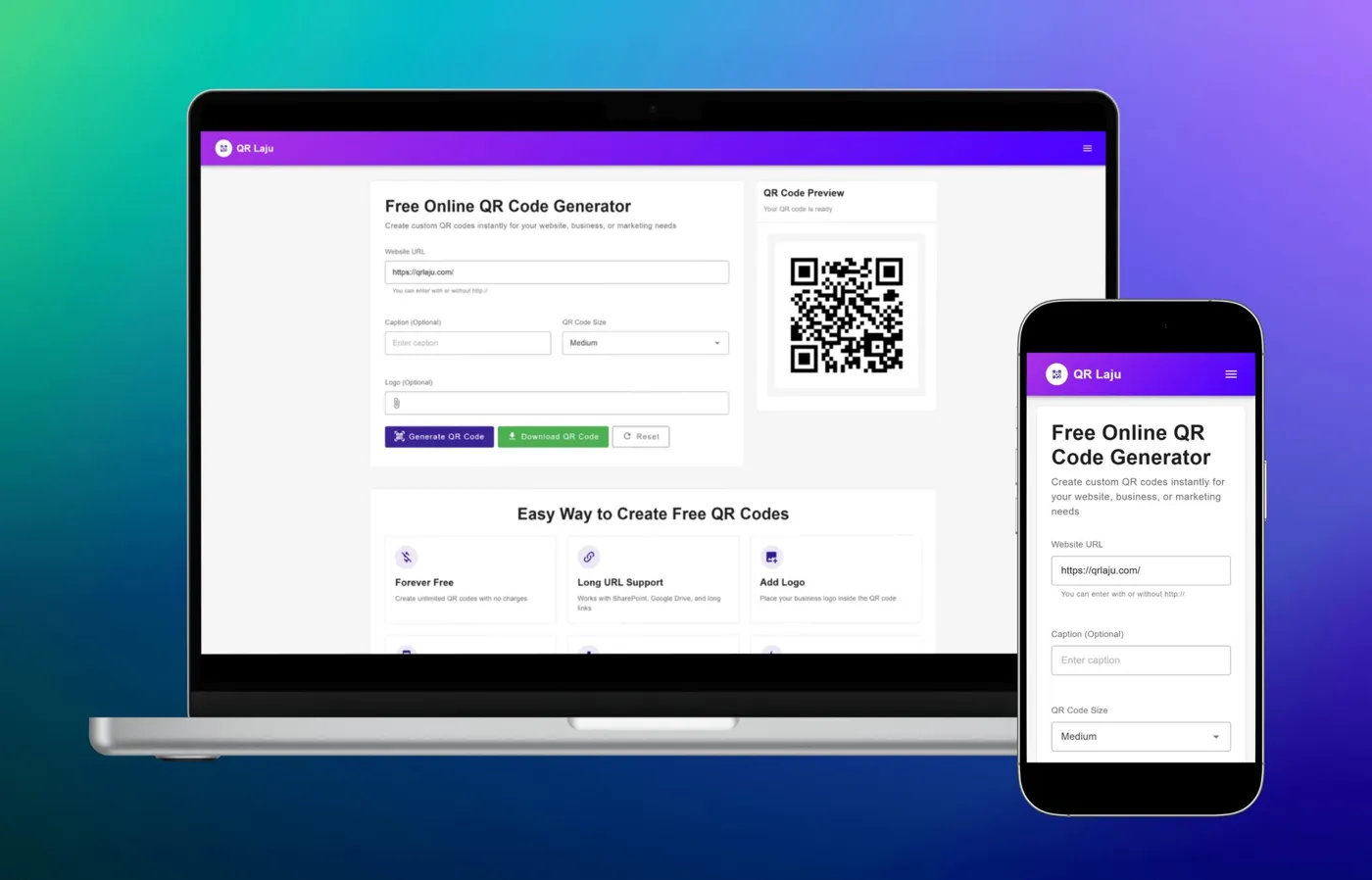
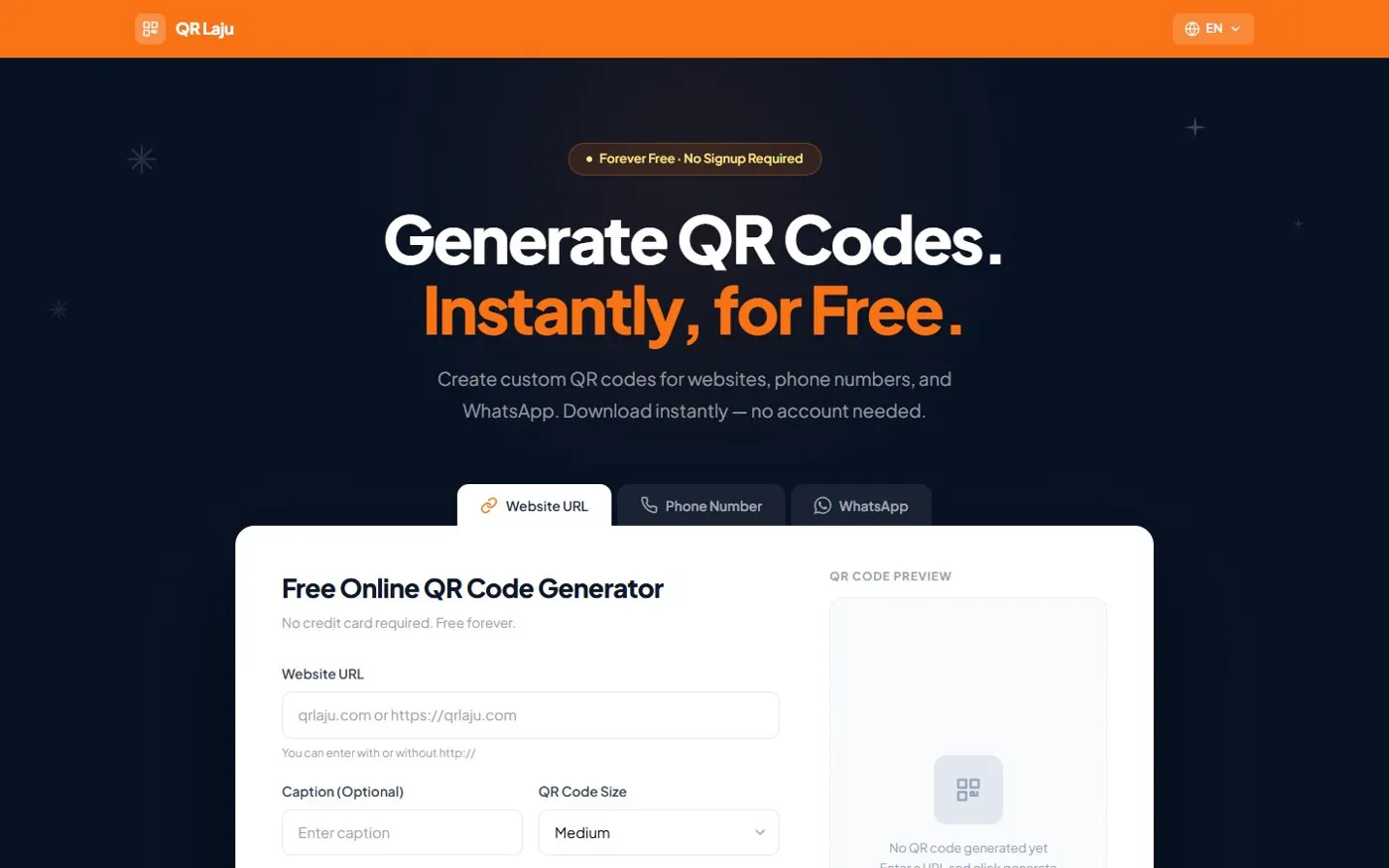
Same generator underneath. v2 leads with the promise, then gets out of the way.
- 01
One primary action
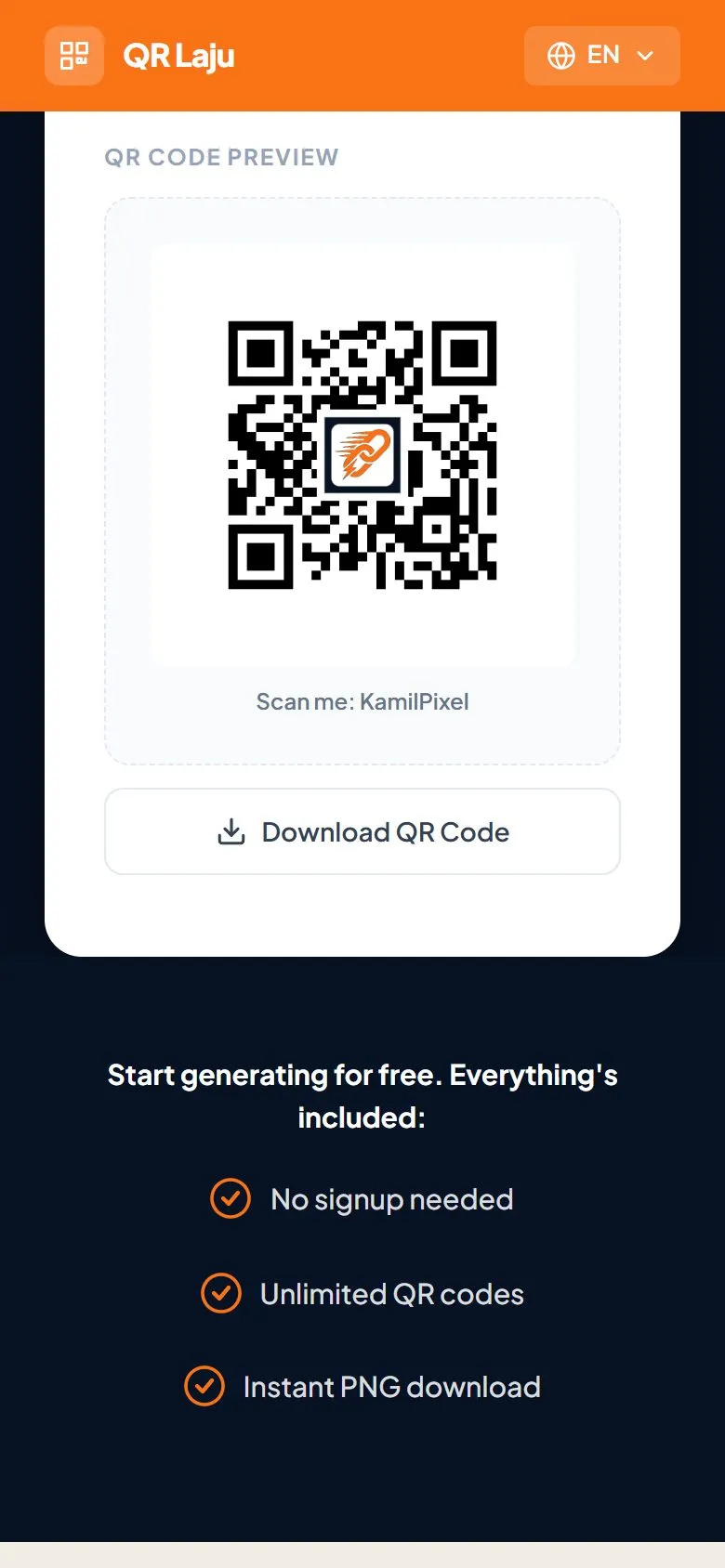
v1 showed Generate, Download and Reset side by side in three colours. v2 has one orange Generate button; Download only appears once there is something to download, directly under the QR.
- 02
Tabs instead of guessing
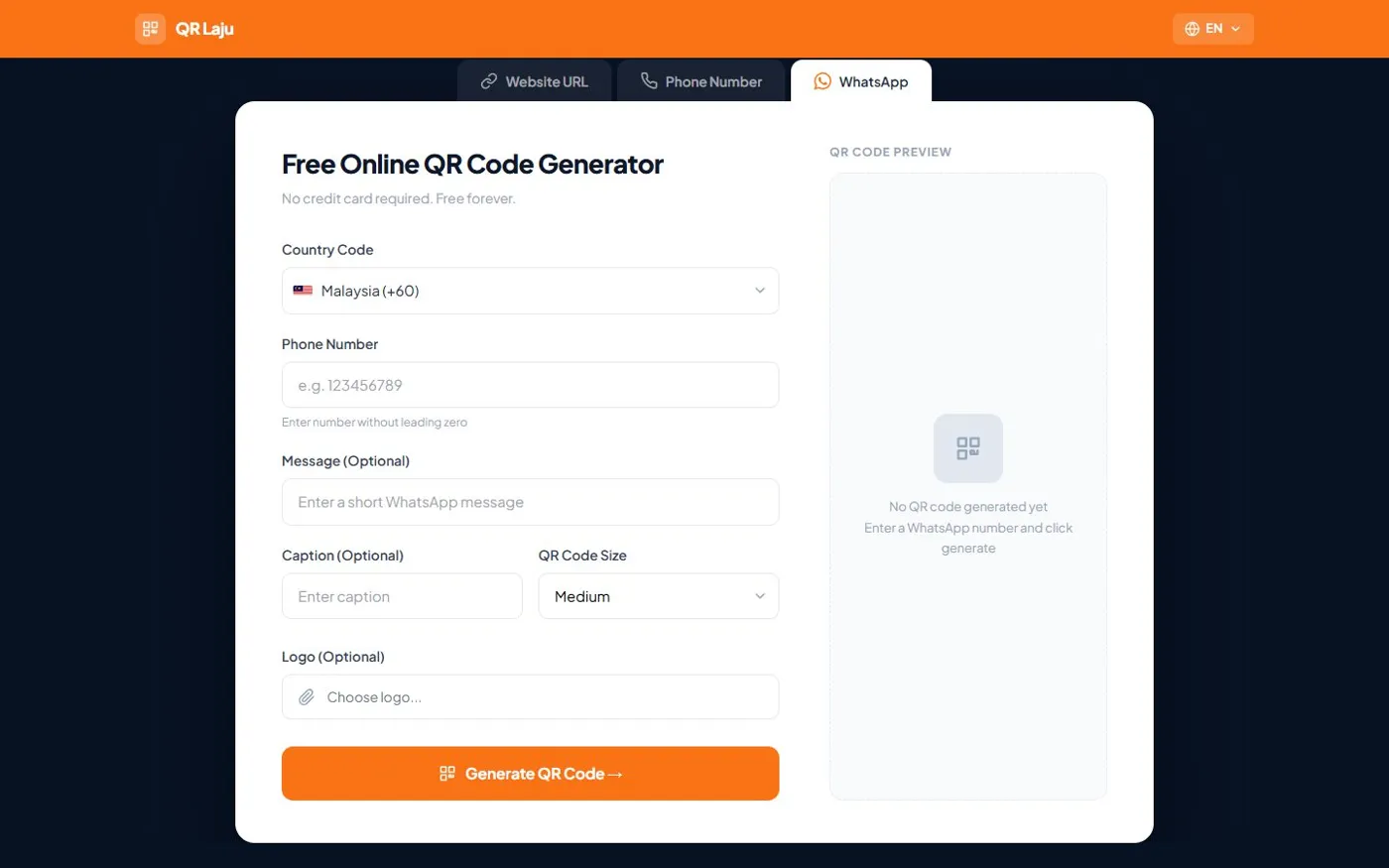
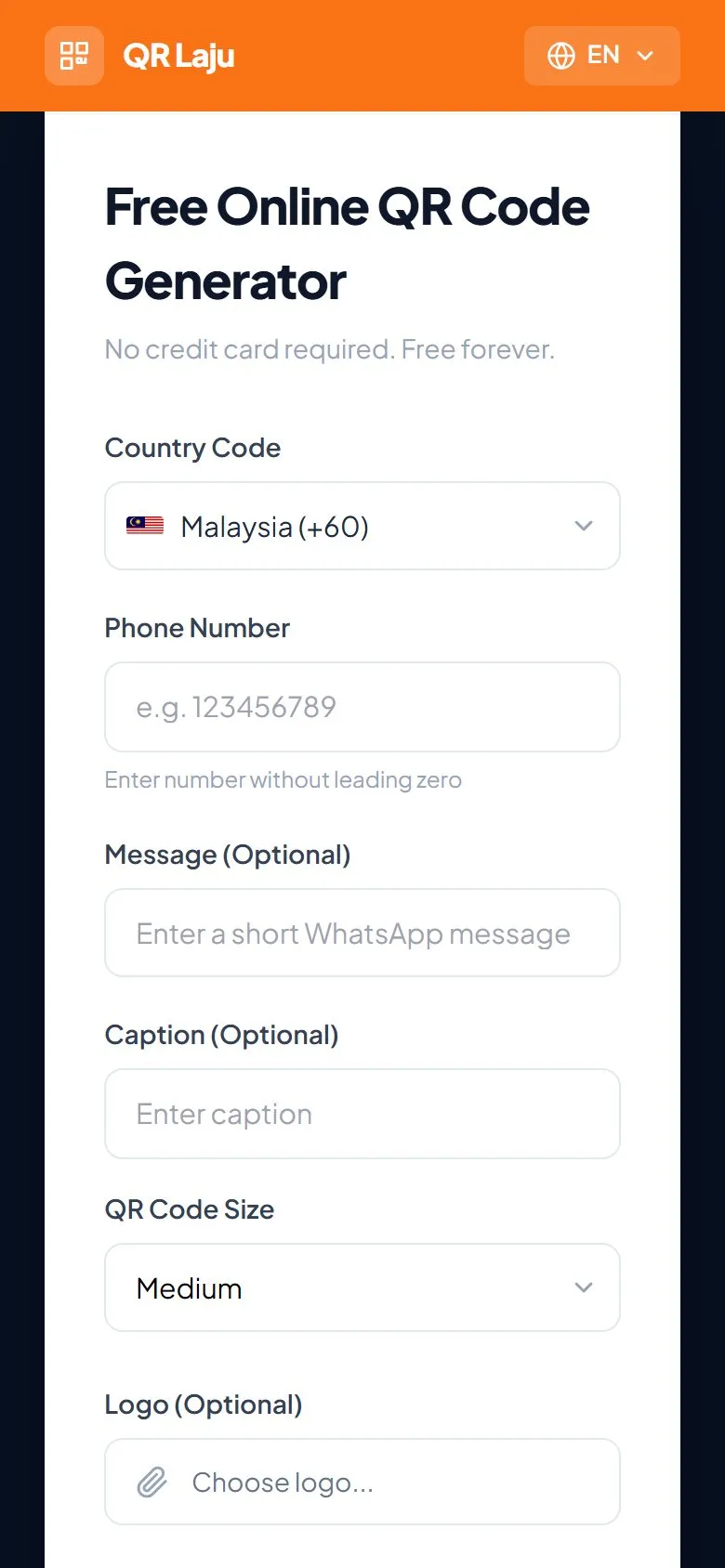
Link, phone and WhatsApp each get their own tab with the right fields, so a phone QR never asks for a URL.
- 03
The promise up front
“Forever free · No signup required” sits above the headline, because that is the question people arrive with.
Navy, cream and one loud orange.
- Navy#071224 · Hero, footer
- Navy dark#040C18 · Depth
- Cream#F2EDE4 · Content bands
- Cream dark#EBE5DA · Alt band
- Orange#F97316 · Brand, CTA
- Orange hover#EA6C10 · Pressed
The palette lives in the Tailwind config as three named colours, so the markup reads bg-navy, bg-cream and text-accent instead of raw hex values. Orange is kept for the brand bar, the headline’s second line and the one button that matters.
One typeface does all the work. Plus Jakarta Sans at extra-bold, with tight tracking, gives the headline weight; the same family at regular weight keeps the form calm and easy to read.
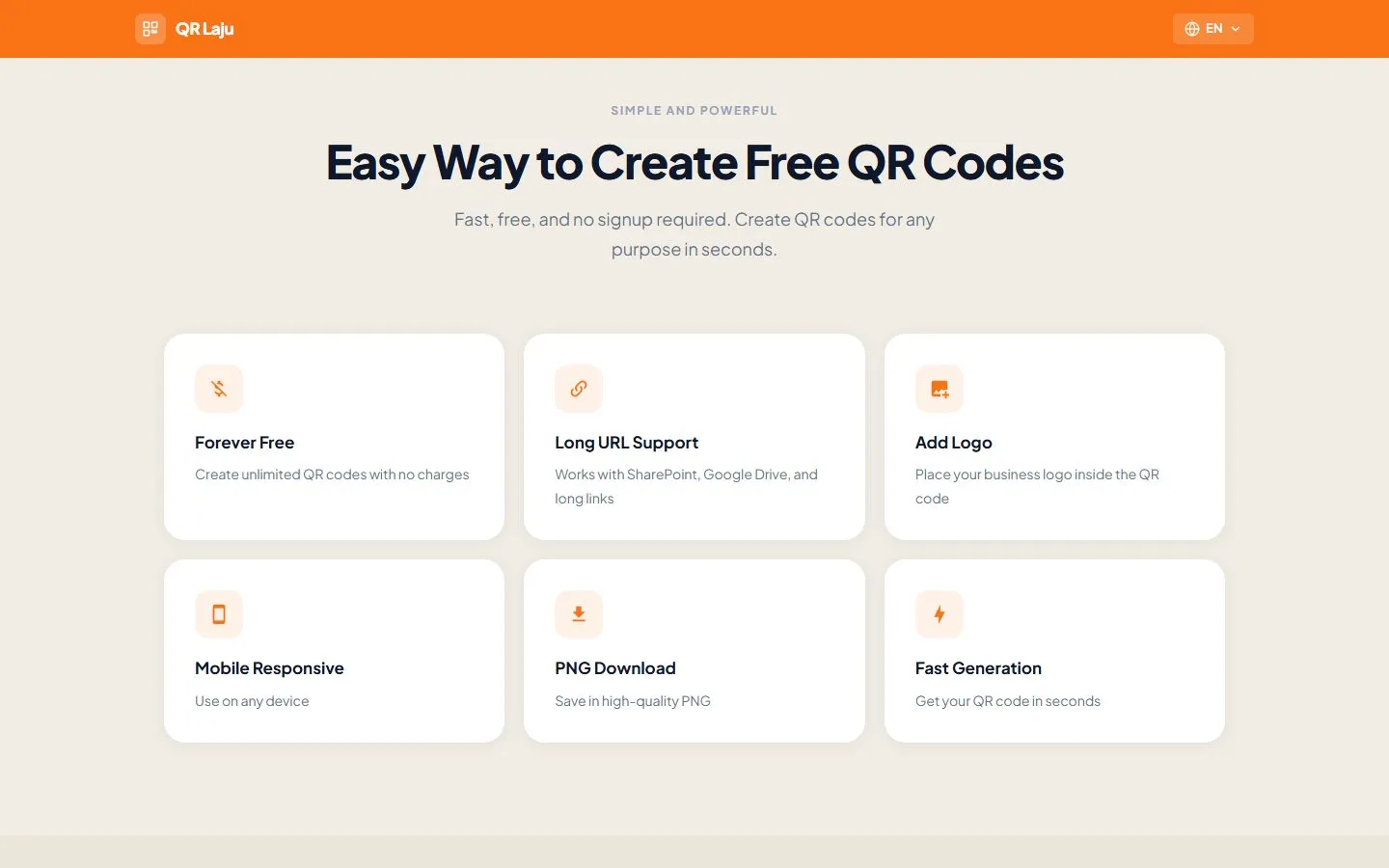
Below the fold the page switches to cream, so the navy hero and the generator stay the focus.
Small fixes that make a code actually scan.
A QR generator is easy to build and easy to get subtly wrong. Most of the work after launch was in details people only notice when they fail, usually in front of a printer or a customer’s phone.
- 01
Built to survive a logo
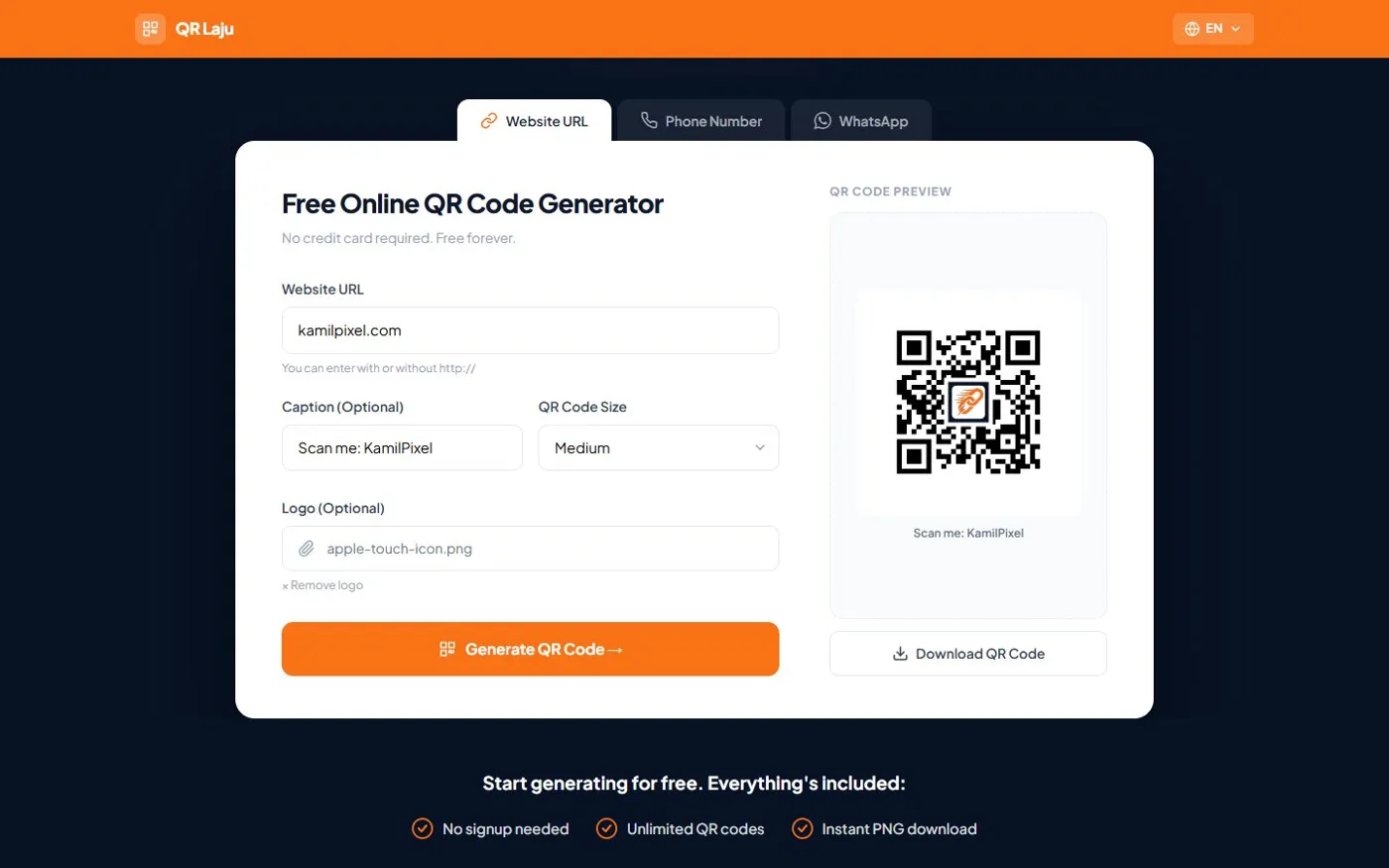
Codes use the highest error-correction level, so a logo can sit in the middle at about 20% of the size, on a white pad, and the code still reads.
- 02
Room to breathe
Some phones failed to read codes that sat too close to the image edge. I added a wider quiet zone around every code.
- 03
Caption in the file
The optional caption is drawn onto the canvas, so it’s part of the downloaded PNG and prints with the code.
- 04
Forgiving inputs
Links work with or without https://. Phone numbers are validated per country with libphonenumber-js, and WhatsApp messages are capped at 140 characters to keep the code dense enough to scan.
Bahasa Melayu, not an afterthought
Every string lives in one Pinia store as an English and a Malay version, and the language switch re-renders the whole page in place, including labels, hints and error messages.
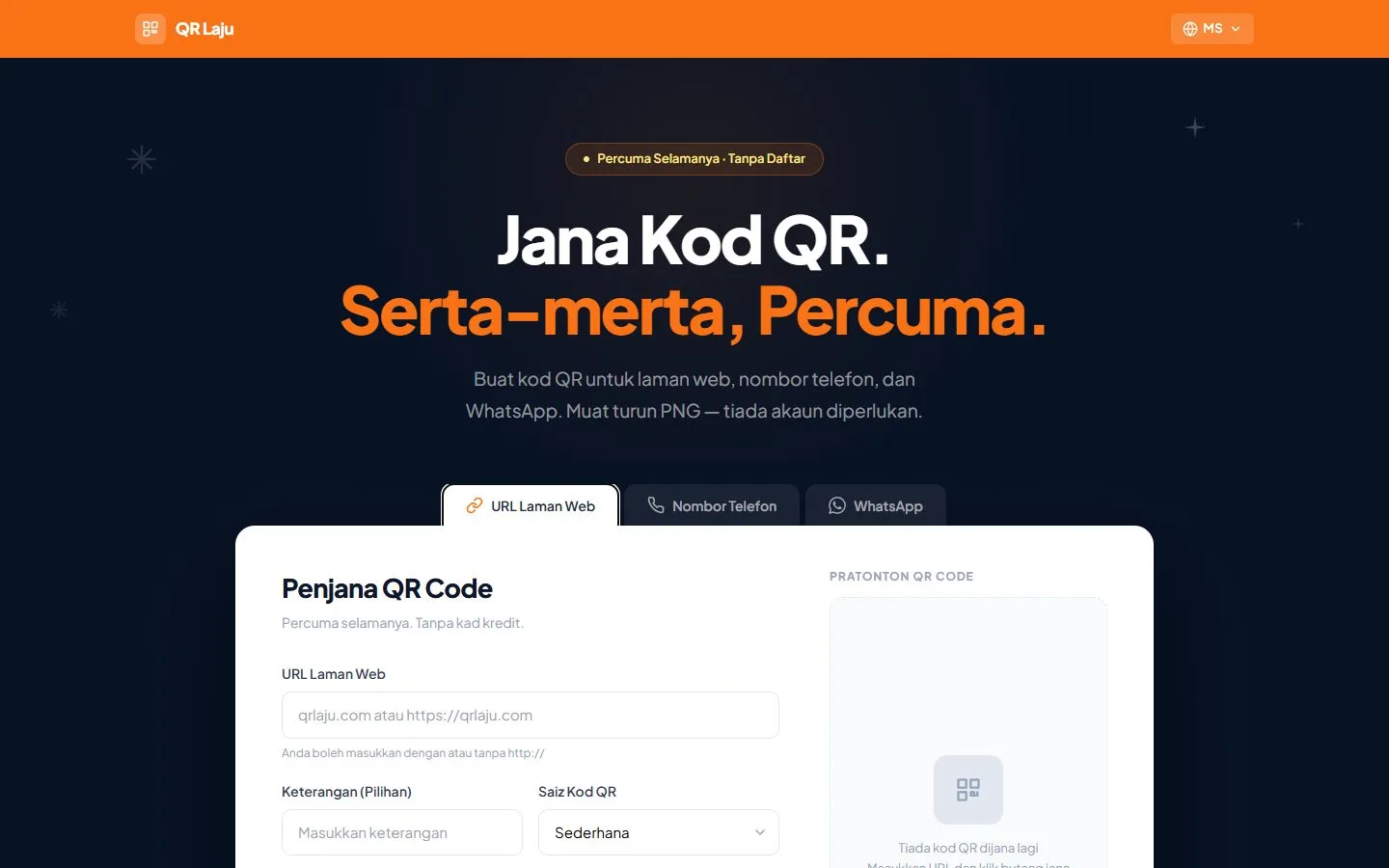
The same page in Bahasa Melayu.
Generate, then land on the result.
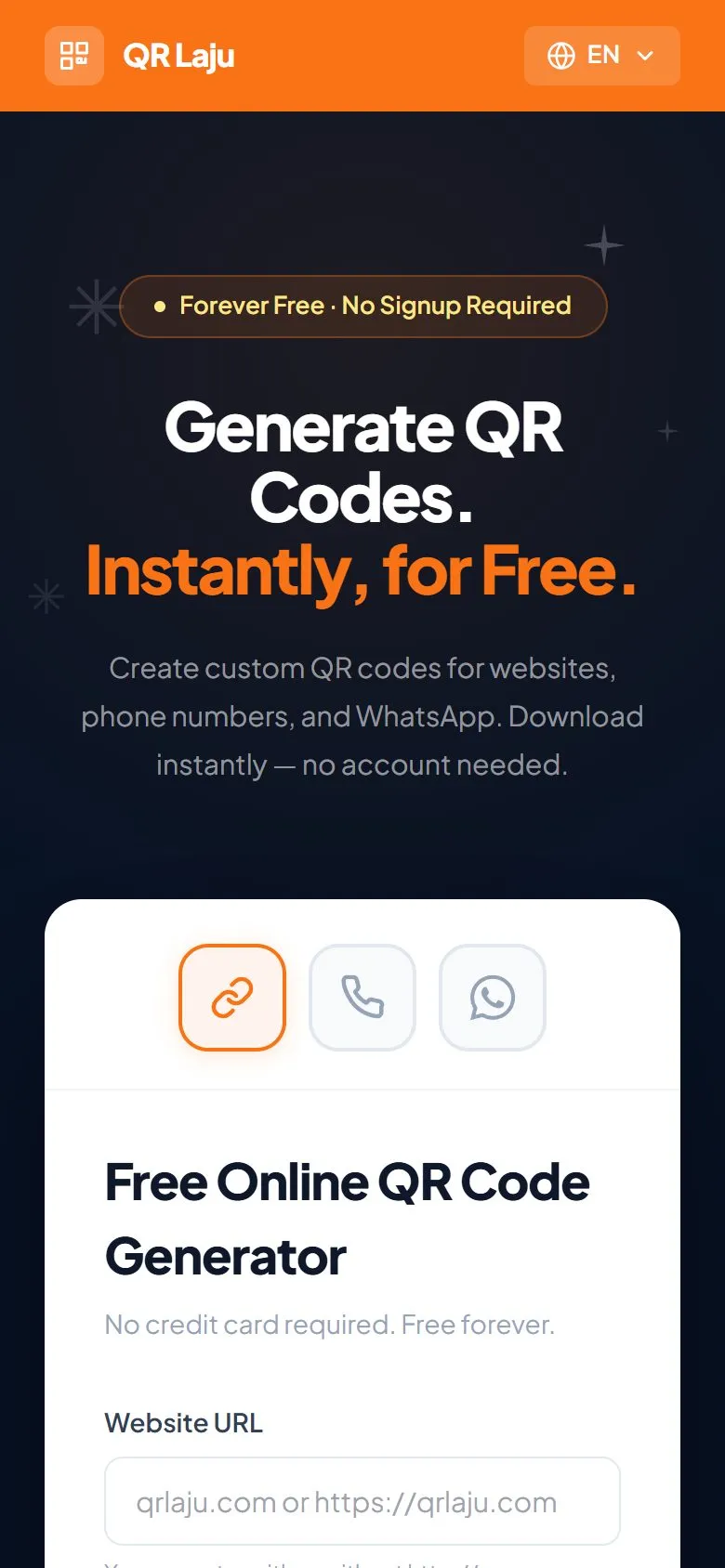
On a phone the form and the preview stack, so the QR used to appear somewhere below the fold without any sign that anything happened. Now the page scrolls to the preview as soon as you tap Generate, and the Download button sits right under the code. The tab labels become icons so all three fit in one row.
A small tool that stays small.
- 1
- orange button to press
- 0
- data stored for the free generator
- 2
- languages, one store
QR Laju runs on its own domain with a sitemap and analytics, and the redesign turned it from a demo into something that looks worth trusting with your shop’s menu.
Next up is an optional account for people who want saved, editable QR codes they can repoint after printing. The free generator stays exactly as it is: no signup, nothing stored.